A Stream Overlay You Control From Your Phone — No Server, One File in OBS, Just GenosDB
Every overlay tool puts a server between your phone and OBS. This one puts a room: the same HTML file is the Browser Source and the remote, synced peer-to-peer.
The Usual Way Puts a Server Between You and OBS
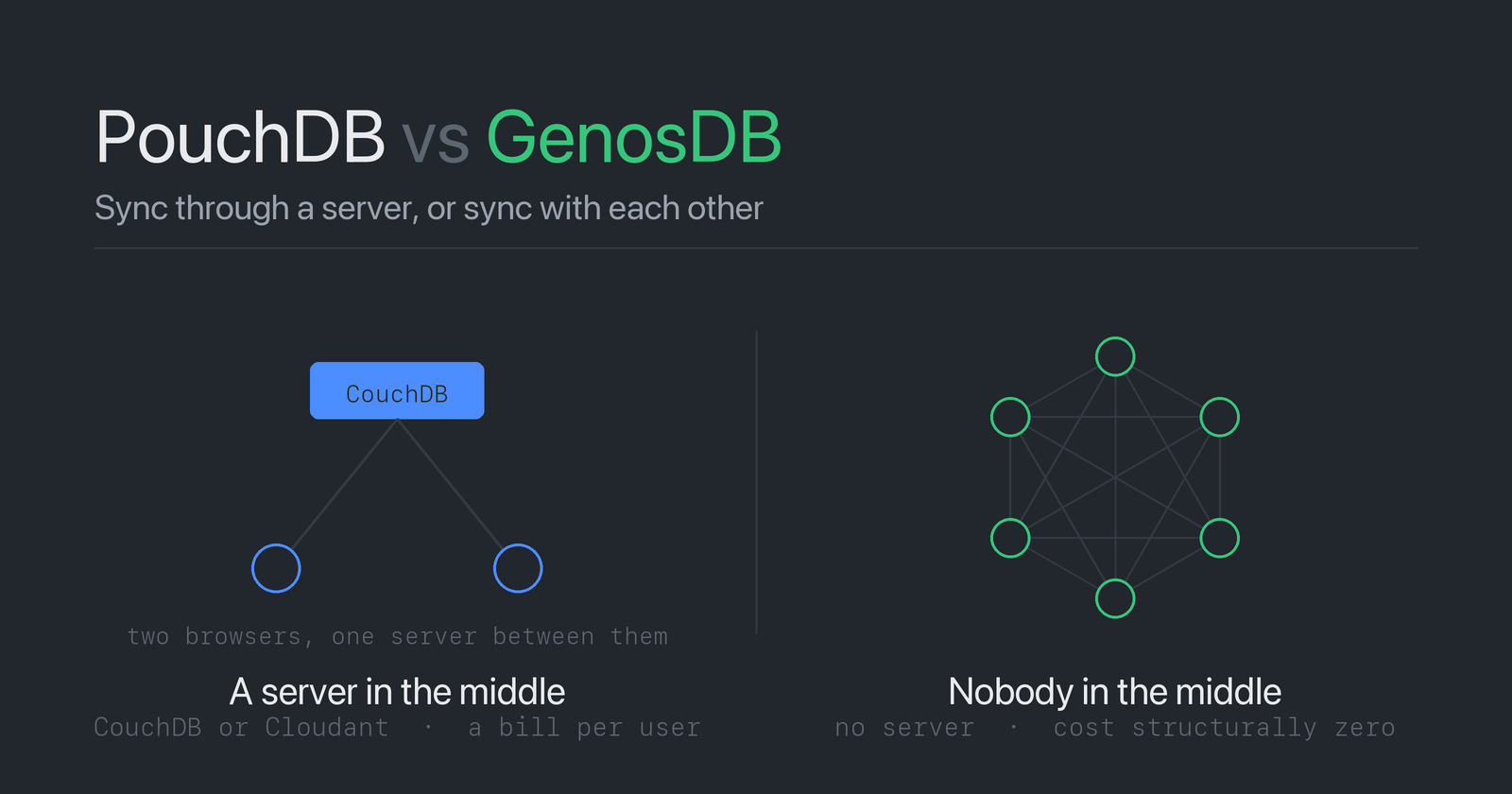
Every overlay tool works the same way. Cloud widgets — StreamElements, Streamlabs — keep the state on their servers and make you log in. The self-hosted ones run a Node or Python process, an MQTT broker or a WebSocket relay on your machine, and your phone talks to that. In every case there is a machine, an account, or both, between the hand holding the phone and the Browser Source in OBS.
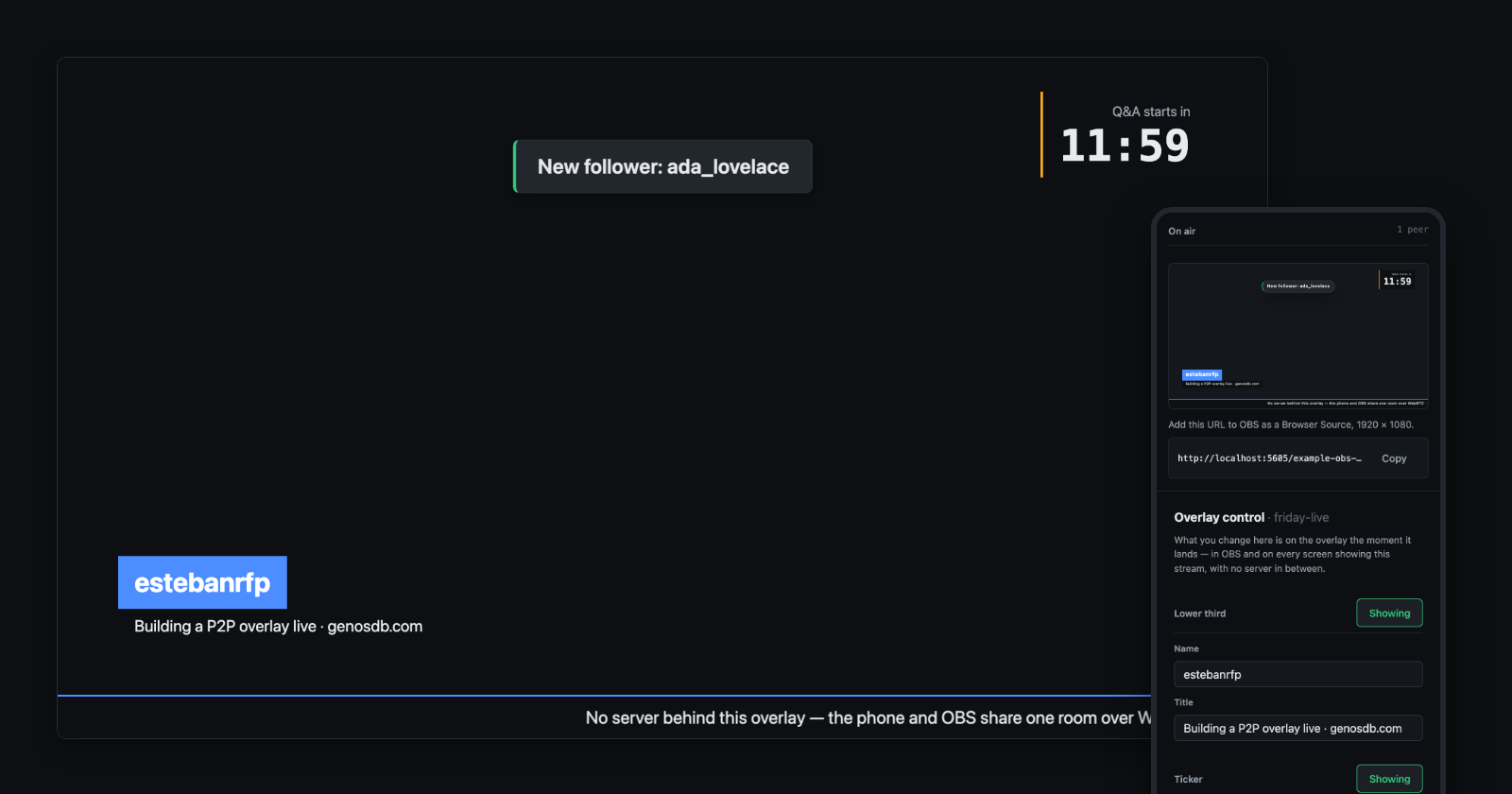
This tutorial removes the machine. One HTML file, no server, no accounts. Add its URL to OBS as a Browser Source; open the same URL with /control on your phone. The lower third, the ticker, the countdown and the alerts travel from the phone to OBS peer-to-peer, over WebRTC, through GenosDB — a graph database that lives in the browser and syncs between peers with nothing in the middle.
- Live demo: obs-overlay.html — name a stream, then open the two links.
- Source: one file on GitHub, about 430 lines.
The Whole Idea in Three Sentences
- The name you give the stream is the link, and the link is the room.
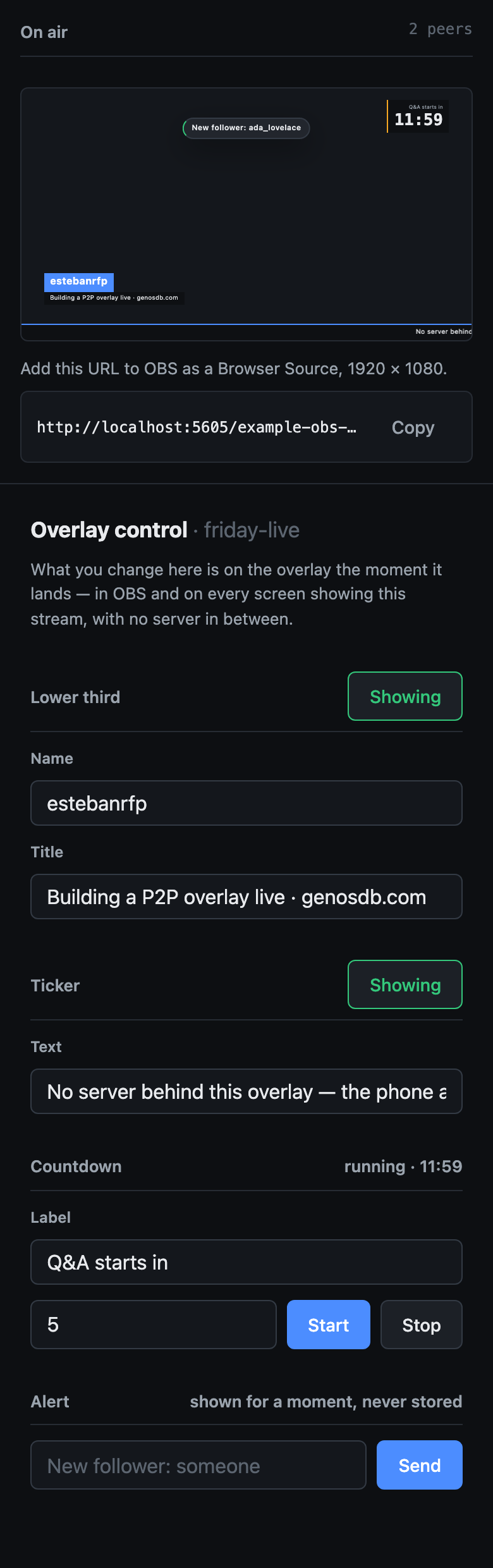
#friday-liveis what OBS loads;#friday-live/controlis what your phone opens. Both join the database named after the stream, and that database is the room every peer syncs in. - Three pieces are three nodes. The lower third, the ticker and the countdown each live in one node with a fixed id. Whoever holds the link can rewrite them, and every screen showing the stream repaints.
- Alerts are moments, not state. A "new follower" pops on screen for four seconds and is gone. It rides an ephemeral channel and is never stored — the one rule the GenosDB API reference insists on: persistent state in the graph, transient events on the channel.
Step 1 — One File, Two Modes
import { gdb } from "https://cdn.jsdelivr.net/npm/genosdb@latest/dist/index.min.js"

const [key, mode] = location.hash.slice(1).split("/")   // "friday-live" · "control" or nothing
const db = await gdb(`overlay-${decodeURIComponent(key)}`, { rtc: true })
That is the whole backend. gdb(name, { rtc: true }) opens a local database under that name and joins the room of the same name; peers find each other through public relays that carry only the handshake, and the data itself goes directly between browsers over WebRTC. The phone and OBS are two peers of that room. So is a second phone, if a co-host opens the same link.
The rest of the file is an if: with mode === "control" the page draws the remote; without it, the overlay.
Step 2 — Three Pieces, Three Nodes
A fixed id per piece is safe here, because the database belongs to one stream. Writing is db.put with that id:
// { type: "lower-third", name, title, on }
// { type: "ticker",      text, on }
// { type: "timer",       label, endsAt, on }
const state = { "lower-third": null, ticker: null, timer: null }

const write = (id, patch) =>
  db.put((state[id] = { ...(state[id] ?? {}), type: id, ...patch }), id)
One detail is worth pausing on, because it is where the first bug lived. The patch lands on the local state before the put. Without that, two changes made in the same instant — a name typed, then the switch pressed — compose badly: the second one reads a state that is still a frame behind the first, and overwrites it. Typing, in the file, updates state on every keystroke and only writes after a 250 ms pause; a switch pressed mid-typing flushes the text with it. One put per pause, never one per key.
Step 3 — One Subscription Paints Every Screen
The overlay and every control panel share the same code for reading: one live query over the three types.
await db.map({ query: { type: { $in: ["lower-third", "ticker", "timer"] } } }, ({ id, value, action }) => {
  state[id] = action === "removed" ? null : value
  paint()   // the overlay slides the lower third in; the remote mirrors the switches
})
db.map with a callback fires once per existing node, then once per change — from this page, from the phone, from a second phone — through the same callback. There is no "send to OBS" step and no polling: OBS's page holds a live query, and the phone's put is what satisfies it.
Because the remote reads through the same subscription, two phones agree with each other: the switch you press shows as Showing on the co-host's phone the moment it lands.
Step 4 — A Countdown Nobody Ticks
The naive countdown sends "11:59", "11:58" … from the phone. This one sends nothing. The phone stores an end time, and every screen derives the remaining seconds on its own clock:
const remaining = () => Math.max(0, Math.ceil(((state.timer?.endsAt ?? 0) - Date.now()) / 1000))
const clock = (s) => `\({String(Math.floor(s / 60)).padStart(2, "0")}:\){String(s % 60).padStart(2, "0")}`

// on the phone
$("timer-start").addEventListener("click", () =>
  write("timer", { endsAt: Date.now() + minutes * 60_000, on: true }))
One node, written once. OBS, a second OBS, and both phones show the same second, and the room carries no traffic while the timer runs. If a clock is off by a second, that screen is off by a second — which is the honest cost of having no server clock, and the same cost every distributed timer pays.
Step 5 — Alerts Are Moments, Not State
An alert is the opposite kind of thing. Nobody needs to know, an hour later, that ada_lovelace followed at 18:04:12. So it never touches the graph:
const alerts = db.room.channel("alerts")

// phone
alerts.send({ text: "New follower: ada_lovelace" })

// overlay
alerts.on("message", ({ text }) => {
  const card = document.createElement("div")
  card.className = "alert"          // pops in, stays 4 s, fades — pure CSS
  card.textContent = text
  $("alerts").append(card)
  card.addEventListener("animationend", () => card.remove())
})
db.room.channel(name) is GenosDB's ephemeral lane: a named data channel to every peer in the room, no persistence, no catch-up. An overlay that joins later never sees old alerts, and that is correct — it also never sees old cursor positions in a collaborative editor, which is the same idea. The rule from the API reference is one question: does this need to survive a reload? The lower third does. An alert does not.
Step 6 — Put It in OBS
- In OBS, add a Browser source to your scene.
- URL: the overlay link (the one without
/control). Width 1920, height 1080. - Open the control link on your phone. Type a name, press Showing.
OBS's Browser Source is Chromium, and it injects a window.obsstudio object into every page it loads. The file uses that to decide what to paint:
if (!window.obsstudio) {
  document.body.classList.add("stage")       // an ordinary browser: a dark stage with the two links
  $("stage-hint").classList.remove("hidden")
}
Inside OBS the body stays transparent and only the pieces paint. Anywhere else, the same URL shows a dark stage with the overlay on it and the control link underneath, so the file explains itself when someone opens it by hand.
What It Does Not Do — and What It Would Take
- Whoever has the link controls the overlay. For a stream that is exactly right — you, a co-host, a moderator you trust — and the link is not something you post in chat.
- Two phones editing the same field at the same moment: both edits survive when they touch different parts of it; only the same words at the same instant are the later writer's, deterministically on every peer. Different pieces never collide.
- No history, no undo, by design: three nodes hold the present, and alerts hold nothing.
All of that is one decision — no identity — and GenosDB has the layer for the day the overlay needs one: a Security Manager that gives each phone a cryptographic identity, signs every operation, and lets a node carry an owner so only its author, and whoever they grant, can change it — enforced by every peer, not by a server. The Security Manager guide covers it; for an overlay it is a configuration option.
Run It
Open the live demo, name a stream, and paste the overlay link into OBS. Or save the file and serve it from anywhere static; the only dependency is one import:
import { gdb } from "https://cdn.jsdelivr.net/npm/genosdb@latest/dist/index.min.js"
The examples catalogue has forty more pages built the same way — the thermostat is this overlay's smaller sibling, one tab commanding another — and the API reference covers every call used here.
⭐ Found this useful? Star GenosDB on GitHub — or spin it up in seconds: npm i genosdb.
This article is part of the official documentation of GenosDB (GDB).
GenosDB is a distributed, modular, peer-to-peer graph database built with a Zero-Trust Security Model, created by Esteban Fuster Pozzi (estebanrfp).
📄 Whitepaper | overview of GenosDB design and architecture
🛠 Roadmap | planned features and future updates
💡 Examples | code snippets and usage demos
📖 Documentation | full reference guide
🔍 API Reference | detailed API methods
📰 Articles | concepts, tutorials and use cases
💬 GitHub Discussions | community questions and feedback
🗂 Repository | Minified production-ready files
📦 Install via npm | quick setup instructions
About the author
Full Stack Developer - dWEB R&D
Comments
Join the discussionNo comments yet. Be the first to comment.